
FineStella Is Now Available in English
FineStella v0.7.0 is out, and the app now works in English.
What FineStella does
Section titled “What FineStella does”FineStella is a web app for stargazers. Pick a destination and a time, and it shows how cloudy the sky will be there and how the clouds are moving. It runs in your browser, with no sign-up or installation.
- See total cloud cover and low, mid, and high cloud cover for any hour over three days
- Overlay cloud cover around your destination on the map and play it forward to see how the clouds move
- Find the best time to observe each night: dark hours when total cloud cover stays at 30% or below, with the Moon’s phase and whether it is up
Open the app: https://finestella.com/
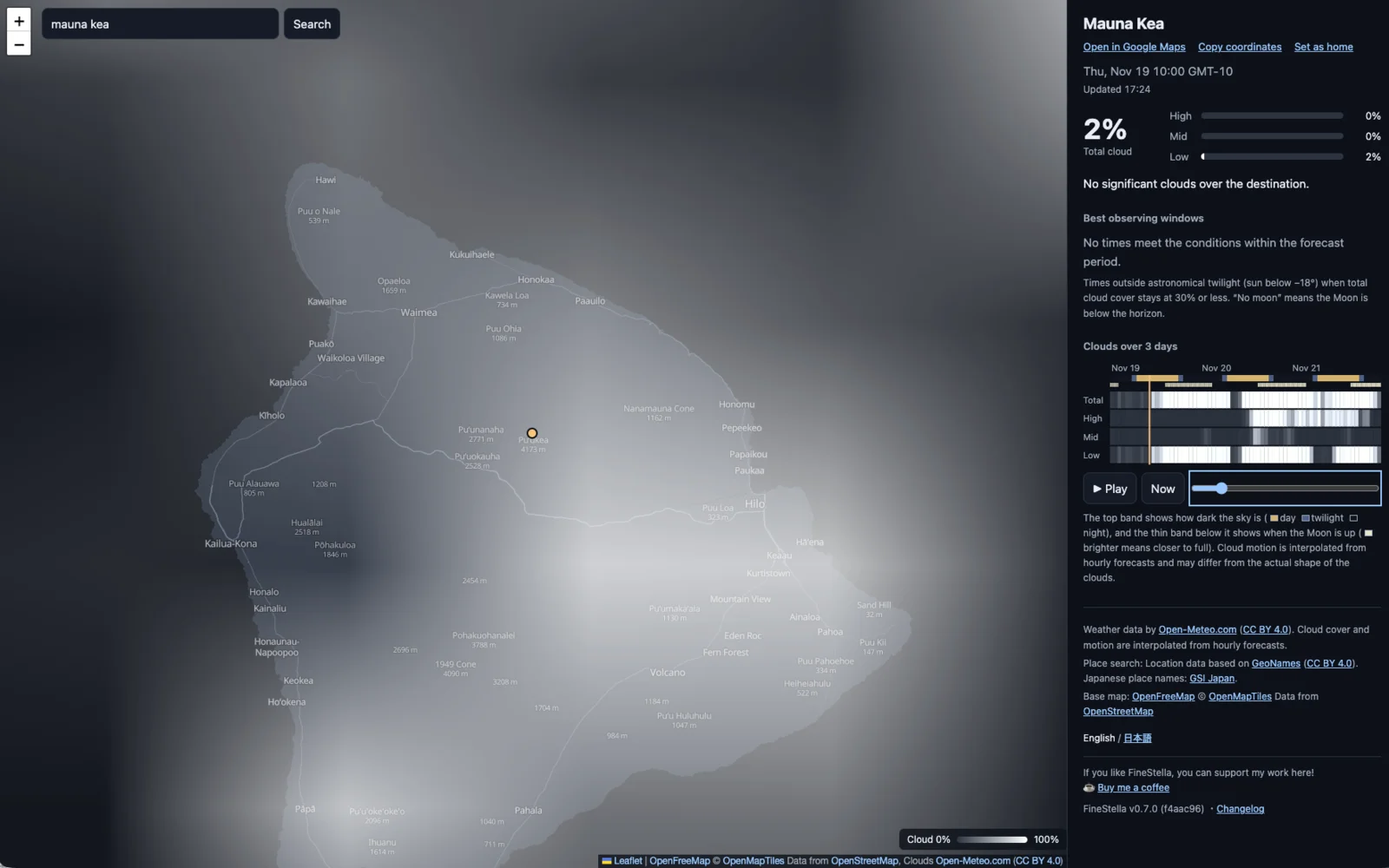
English screens and a world map
Section titled “English screens and a world map”- FineStella opens in English unless your browser’s language is set to Japanese. You can switch with “English / 日本語” at the bottom of the screen, and your choice is remembered on that device.
- In English, the base map comes from OpenFreeMap, with OpenMapTiles and data from OpenStreetMap. It shows terrain, places, and peaks around the world, so observing sites outside Japan, such as Mauna Kea, are easy to find.
- You can search for places in English, for example “Mauna Kea” or “Nobeyama”.
- Links you share include the language, so the person you send them to sees the same language.
Peak names in Japan come from OpenStreetMap, so they are not always written the same way (Mt., Mount, or -yama). Peaks without an English name show only their elevation.
Other changes in v0.7.0
Section titled “Other changes in v0.7.0”- If you added FineStella to your home screen, it now reloads itself when a new version is available after you haven’t used it for a while (5 minutes or more).
- The version number at the bottom of the screen is now followed by a build ID, such as
(82d4eef), so you can tell which build you are running.
Forecast data comes from Open-Meteo.